
Matterport
Prevu3D supports the following scanners from Matterport:
Data Processing
Section titled “Data Processing”Export Settings
Section titled “Export Settings”Option #1 (Recommended): E57 export
Section titled “Option #1 (Recommended): E57 export”Why E57 is Recommended in Prevu3D
-
Enables Meshing
Prevu3D can process E57 files to create detailed 3D meshes, which are essential for accurate visualization and editing.
-
Preserves 360-Degree Images
E57 files retain 360-degree imagery, enabling the immersive photosphere navigation mode within Prevu3D. This feature enhances spatial understanding and provides an interactive way to explore scanned environments.
- From the Add-ons page, you may export the e57 files
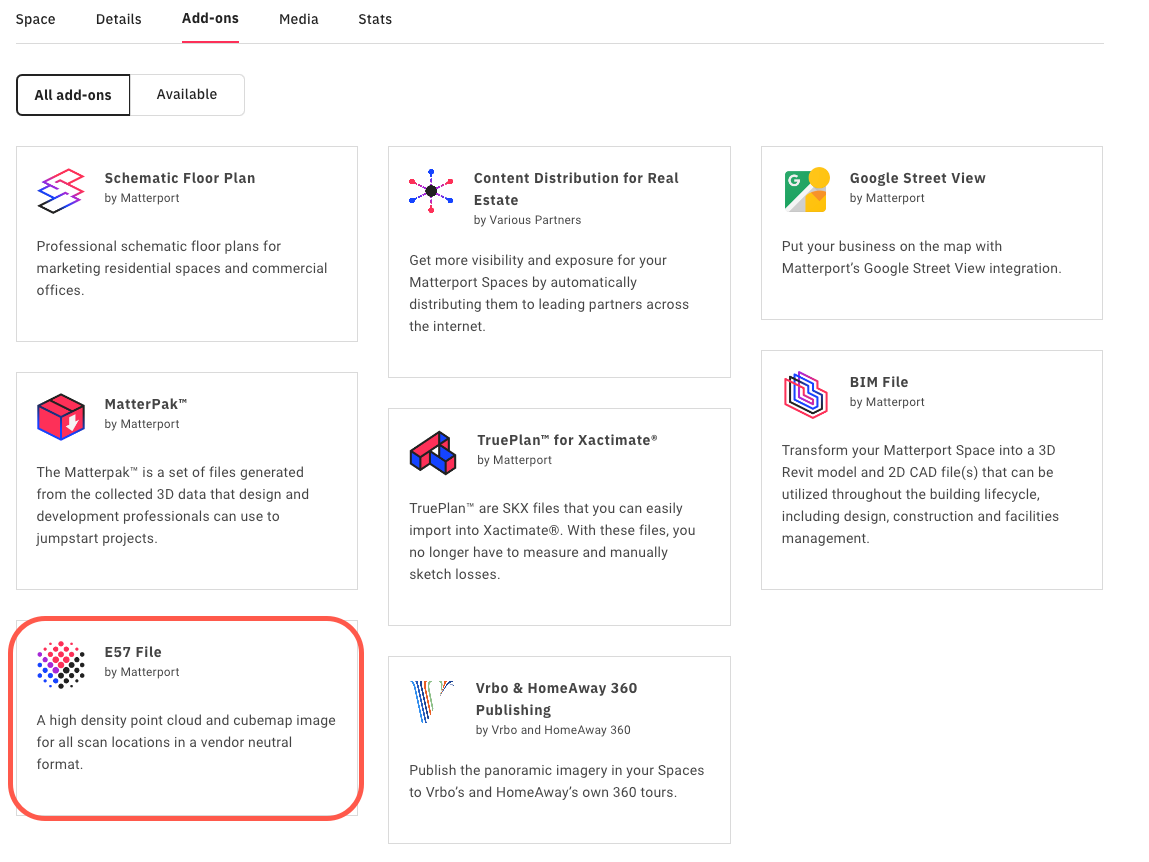
See Matterport documentation for all the details: Export e57
- You will be able to upload your e57 file on Prevu3D.
Option #2 : Matterpak export
Section titled “Option #2 : Matterpak export”Prevu3D also support the Matterpak bundle as an input.
- From the Add-ons page, you may download the Matterpak:

See Matterport documentation for all the details: Export Matterpak
- You will be able to upload your Matterpak file on Prevu3D.