
The New RealityPlan Web Viewer: What Changed and What's New
As of the June 25, 2026 platform release, RealityPlan Projects created from a single Data Bundle now open in the new RealityPlan Web viewer instead of the older (“legacy”) viewer. This unifies the experience so that all projects — whether created from a Data Bundle or a RealityTwin — use the same modern viewer.
What Changed
Section titled “What Changed”Creating a RealityPlan Project from a Data Bundle is not new — you have always been able to do this. What changed is which viewer the project opens in.
| Before June 25, 2026 | After June 25, 2026 | |
|---|---|---|
| Project created from a Data Bundle | Legacy RealityPlan Web viewer | New RealityPlan Web viewer |
| Project created from a RealityTwin | New RealityPlan Web viewer | New RealityPlan Web viewer |
Previously, the viewer you got depended on how the project was created, which left an inconsistent experience. That gap is now closed — everything uses the new viewer.
Why We Made This Change
Section titled “Why We Made This Change”-
Consistency: One viewer for all projects, regardless of how they were created.
-
Performance & stability: The new viewer includes optimizations for layouts containing many cuts and 3D models, where the legacy viewer can be slower and less stable with heavier layouts.
-
Closer to RealityTwin: The new viewer’s look and feel is aligned with RealityTwin, making it easier to move between the two.
-
Ongoing investment: The new viewer is where active development is focused and will continue to evolve. The legacy viewer is no longer receiving further updates.
What’s New and Improved in the New Viewer
Section titled “What’s New and Improved in the New Viewer”Most capabilities carry over, and many are new, improved, or now standardized with the rest of the platform (RealityTwin, the 3D Data Viewer, and the Asset Library). Here’s what to look for.
Scene and Layout
Section titled “Scene and Layout”-
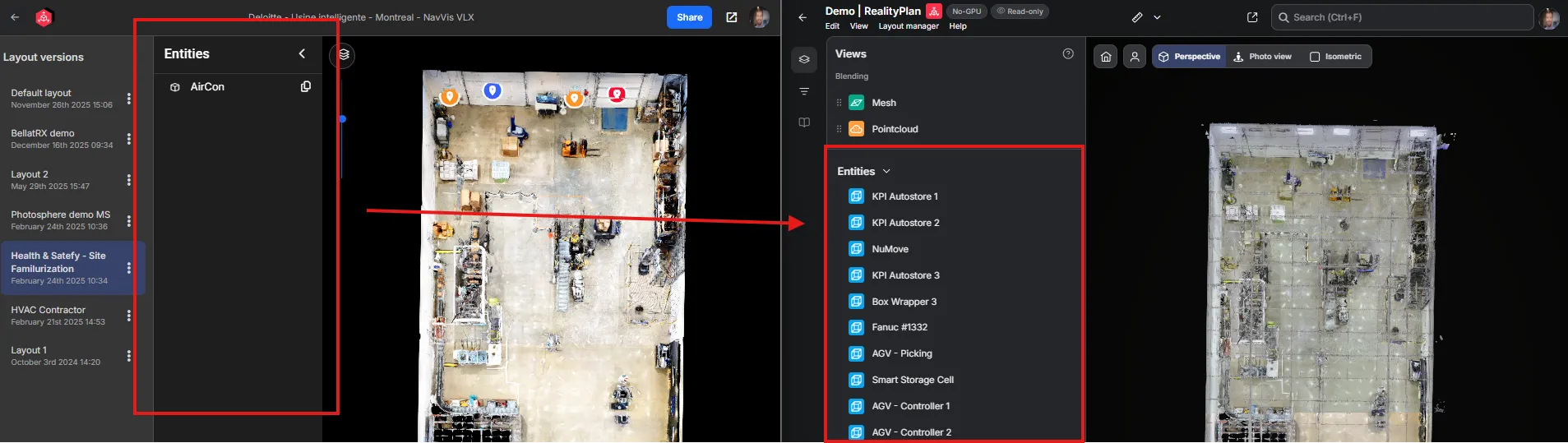
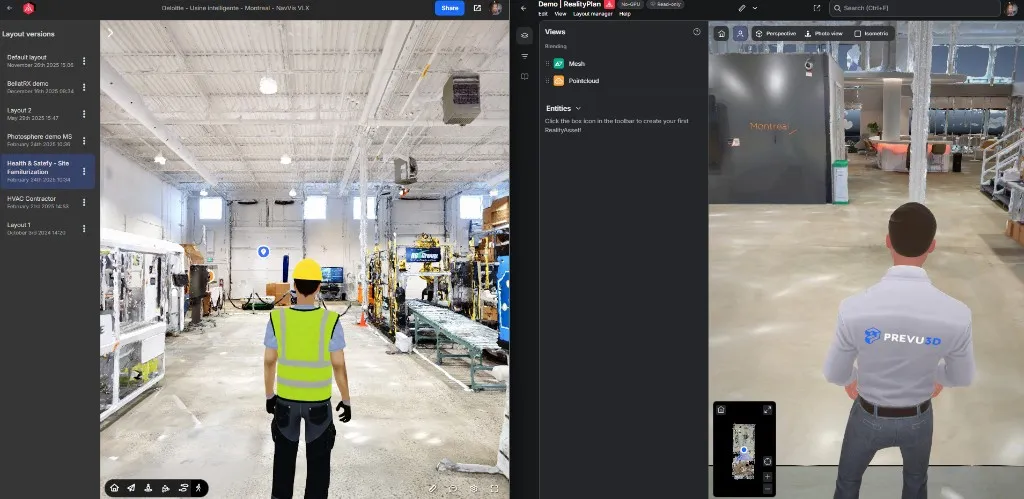
Left side panel: Lists the scene entities using the same panel as RealityTwin. Right-click an entity to teleport to it.
-
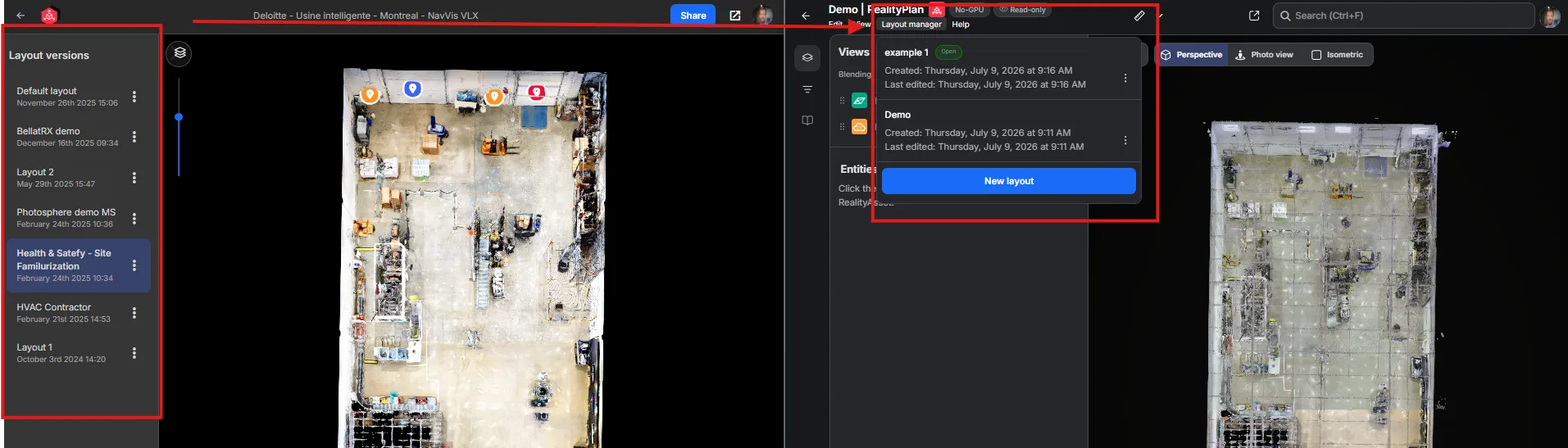
Layout manager: All available layouts are now in a top-bar Layout manager dropdown.
-
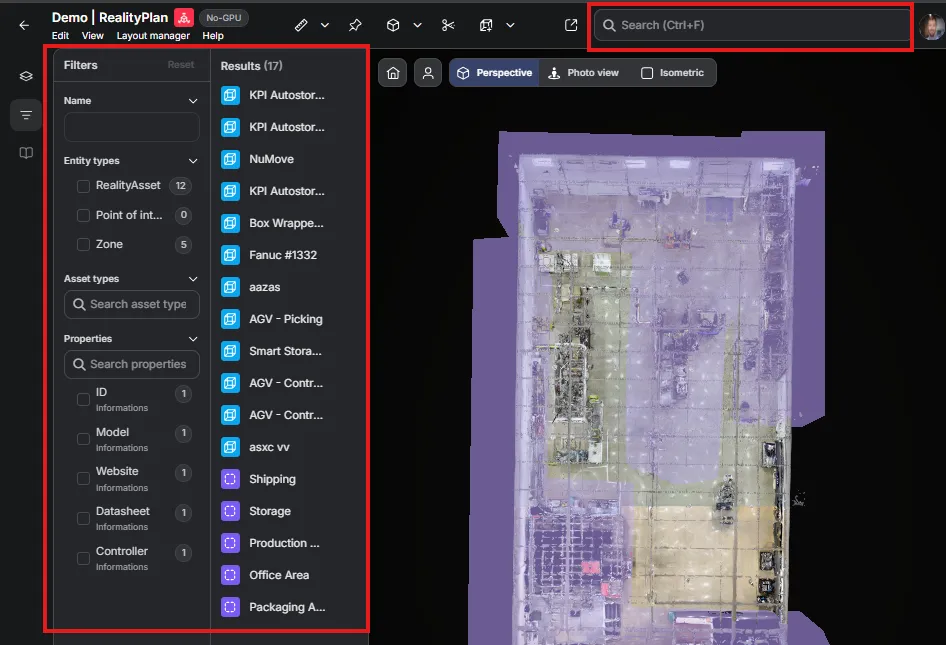
Search and filtering: The same search and filter experience as RealityTwin, right in the left panel.
-
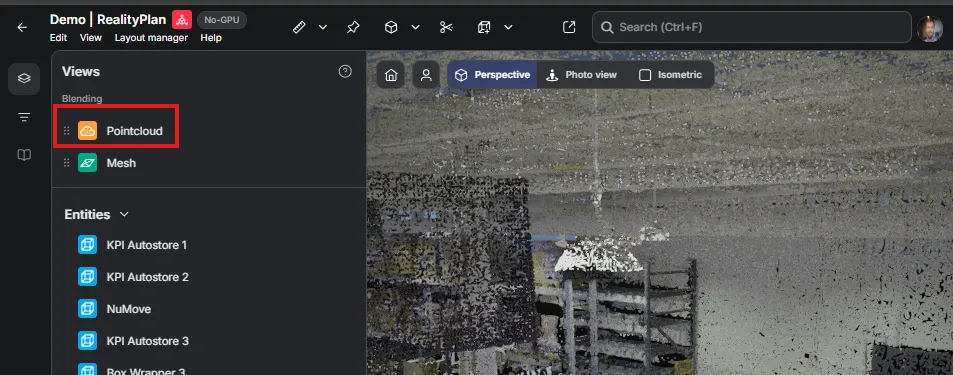
Point cloud display: Show the point cloud (when available) by ordering blending layers under View — the same pipeline that will enable Gaussian splat projects on the web.
-
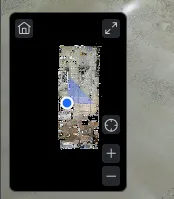
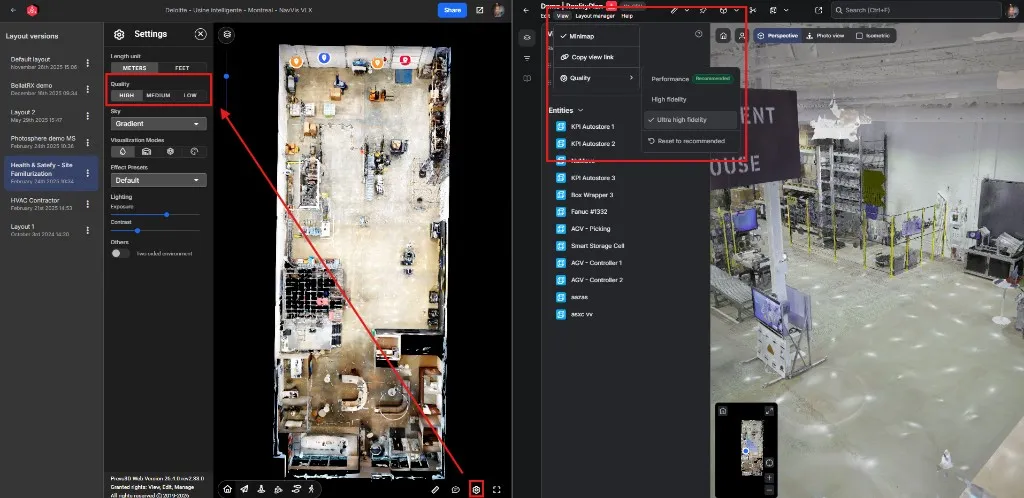
Minimap: A new minimap option for orientation.
Settings and Standardization
Section titled “Settings and Standardization”-
Quality settings: Moved to the top-bar View dropdown, where they’re easy to find.
-
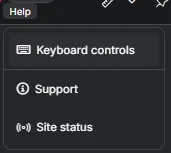
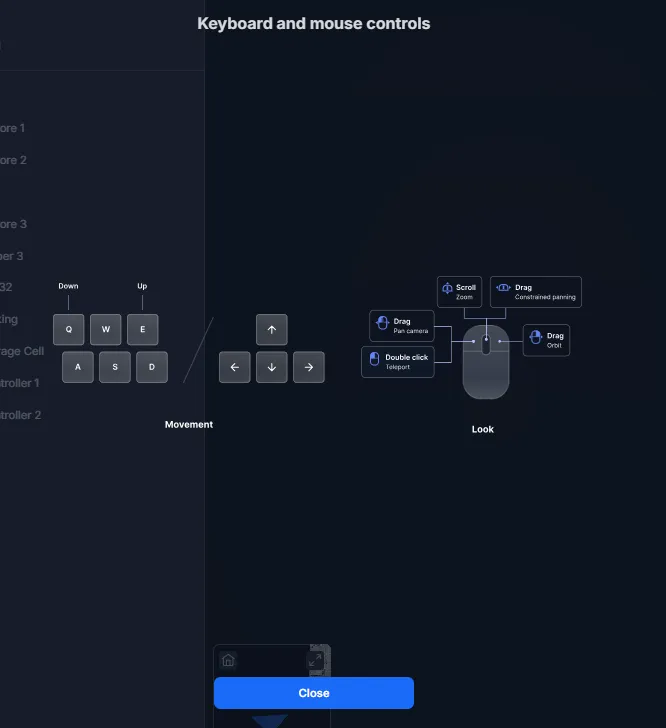
Navigation help: A Help dropdown explains the navigation commands, including keyboard and mouse controls.
-
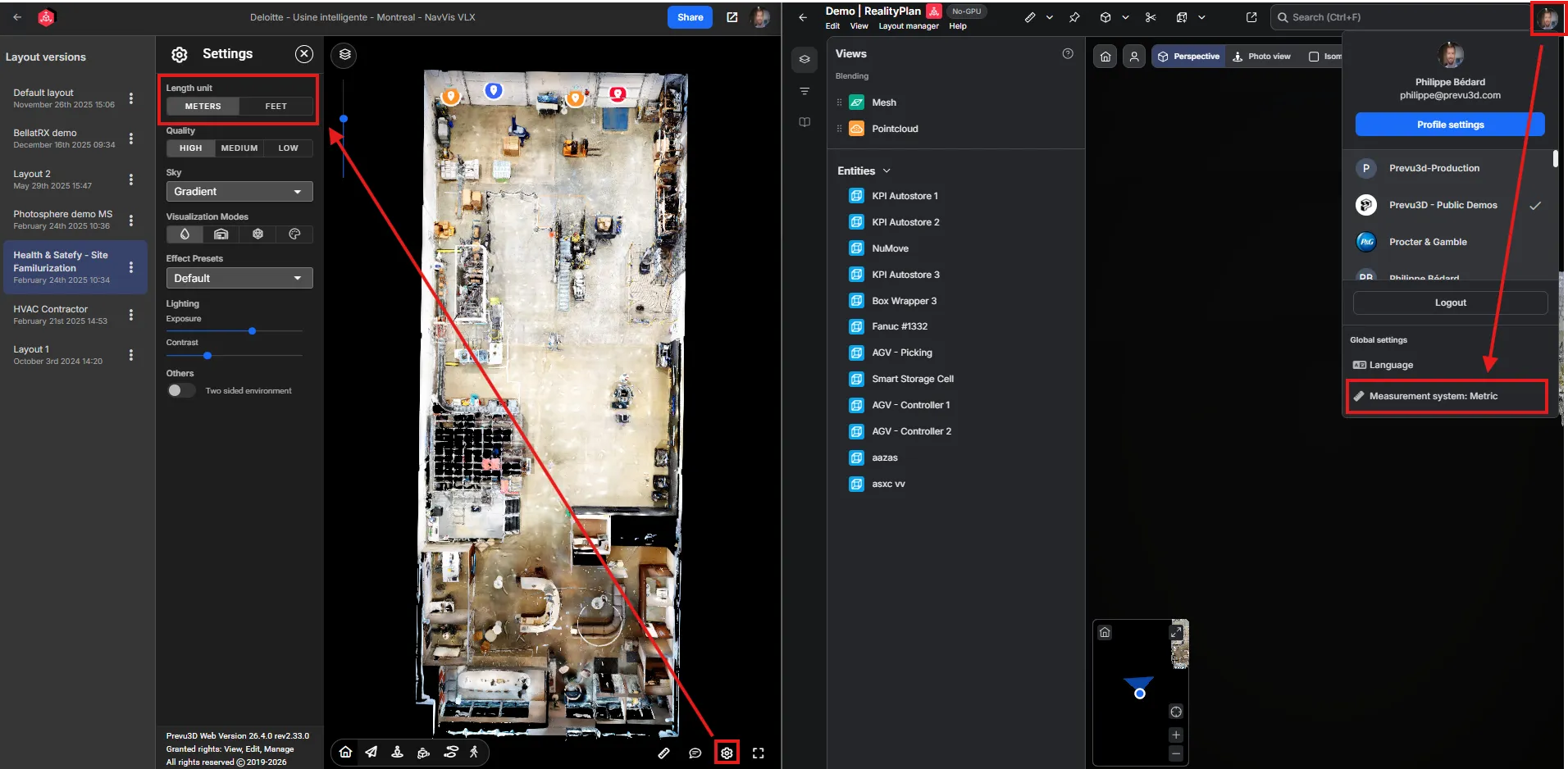
Measurement units: The viewer now uses the unit from your user profile, standardized across every viewer.
3D Navigation
Section titled “3D Navigation”-
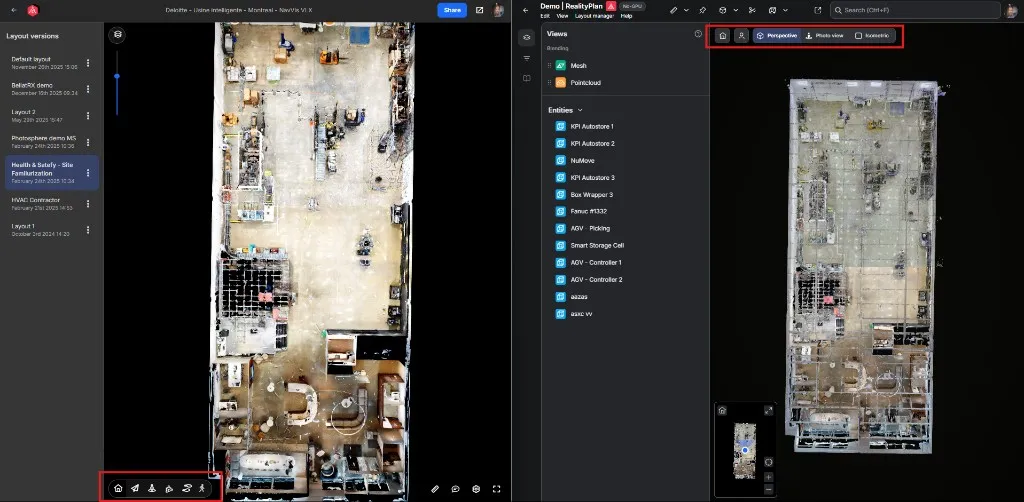
Navigation bar: Moved to the top, matching RealityTwin, the 3D Data Viewer, and the Asset Library.
-
Perspective mode: A unified Perspective mode that blends the previous Fly and Orbit modes.
-
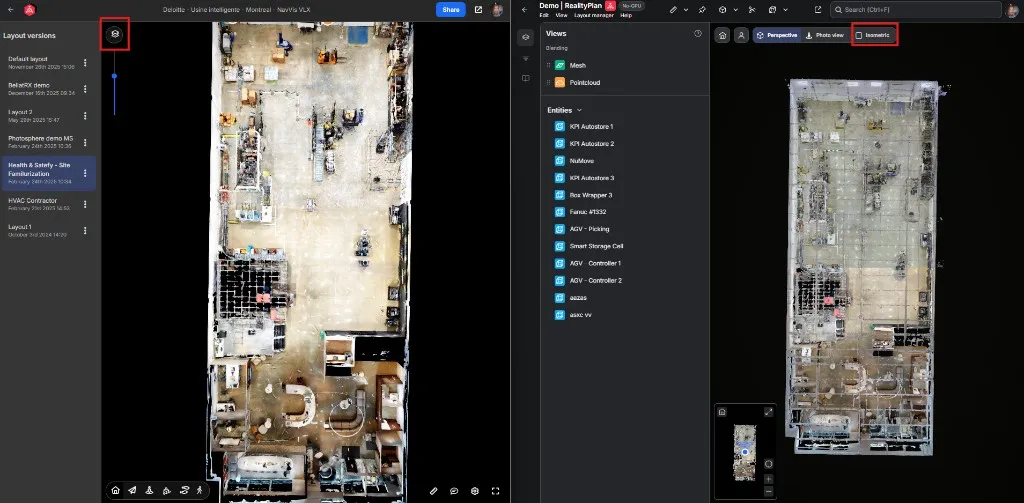
Isometric / orthographic: Now available directly in the navigation bar alongside the other modes.
-
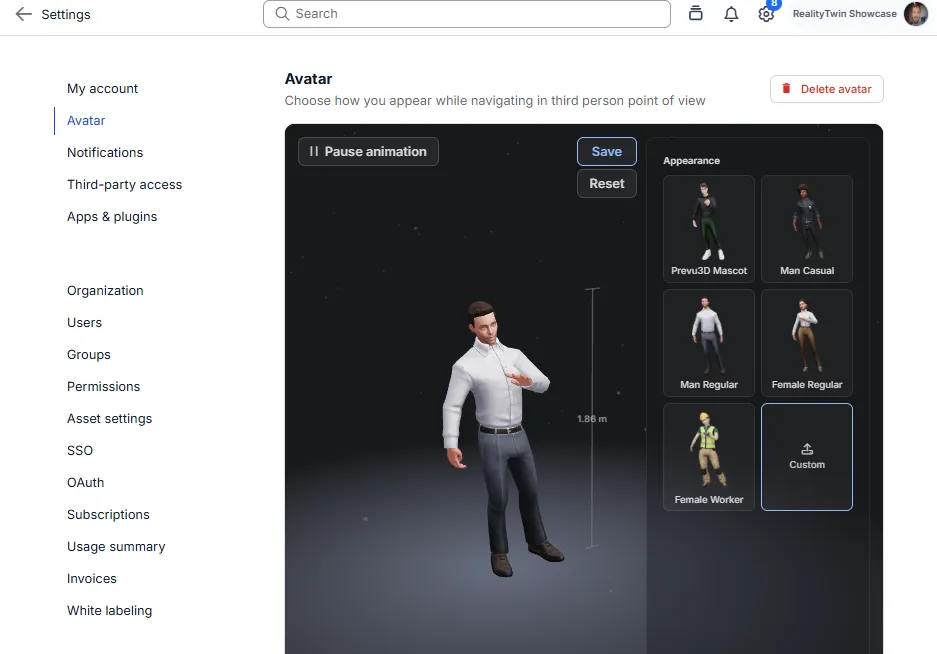
Third-person avatar: Uses the avatar you selected in your account settings.
Measurement
Section titled “Measurement”-
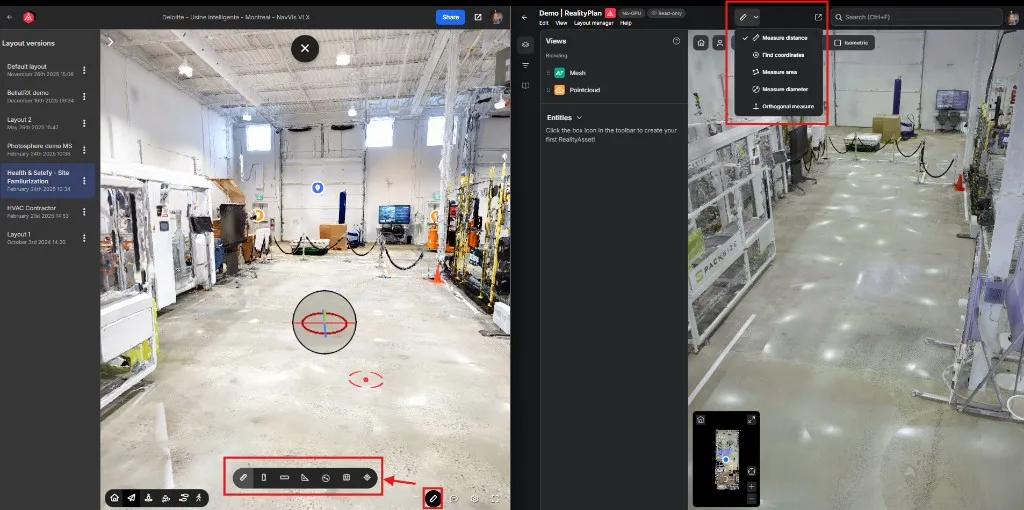
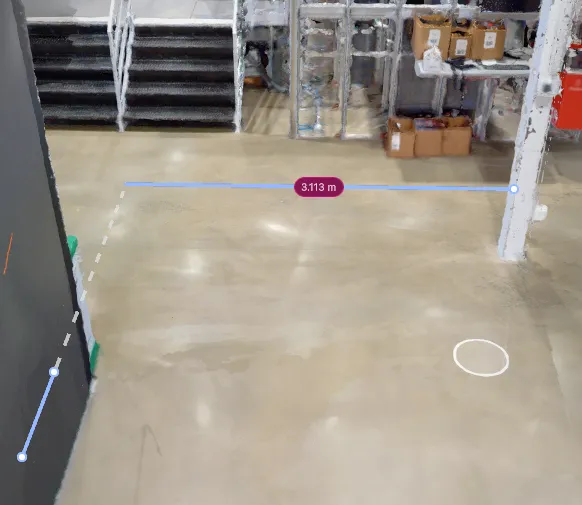
Measure tool placement: Moved to the top-middle, standardized with RealityComposer, RealityTwin, and others.
-
Orthogonal measurement: A new orthogonal measurement mode, useful for engineering workflows.
Legacy Capabilities, Now in the New Viewer
Section titled “Legacy Capabilities, Now in the New Viewer”Four capabilities were still on the way when this page was first published. All four have since shipped, and each one gained something on the way over. Here is the before and after, the same way as the table at the top of this page.
| Capability | Legacy viewer | New viewer |
|---|---|---|
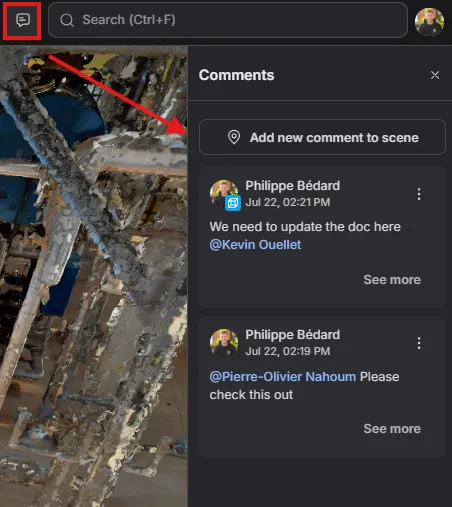
| Spatial commenting | Memos — one thread at a time, in a panel of its own | Comments — spatial and entity comments, threaded replies, rich text, @mentions, and resolve, shared with RealityTwin |
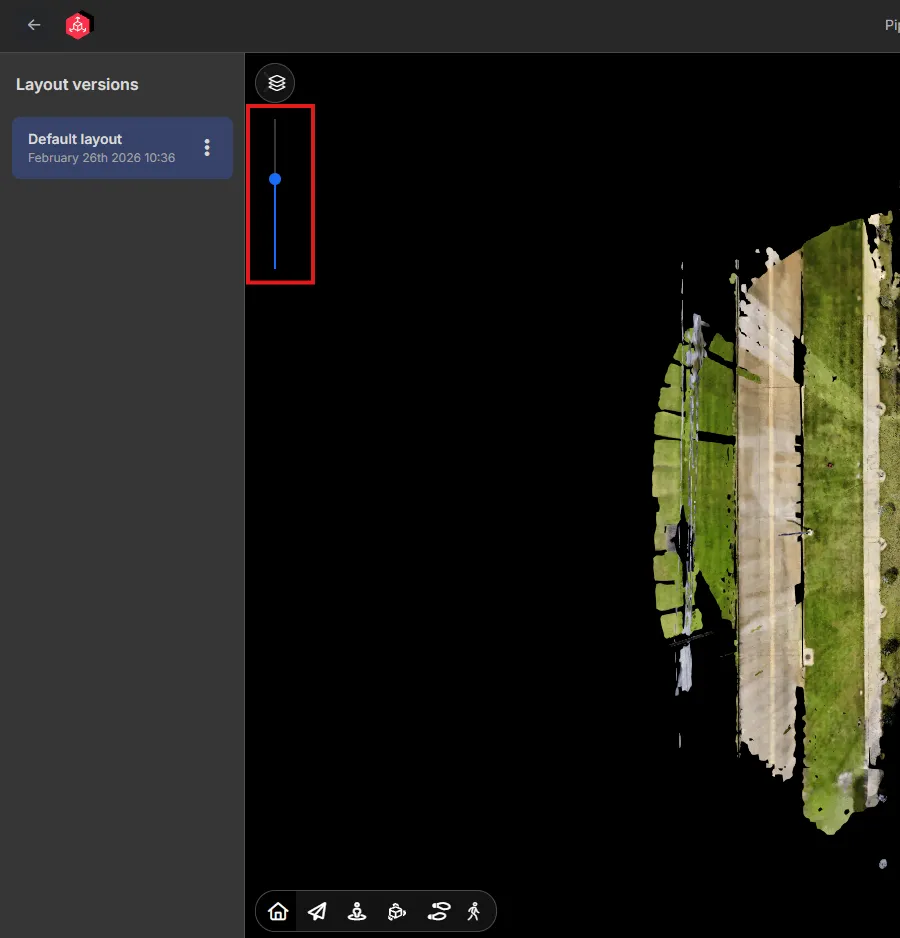
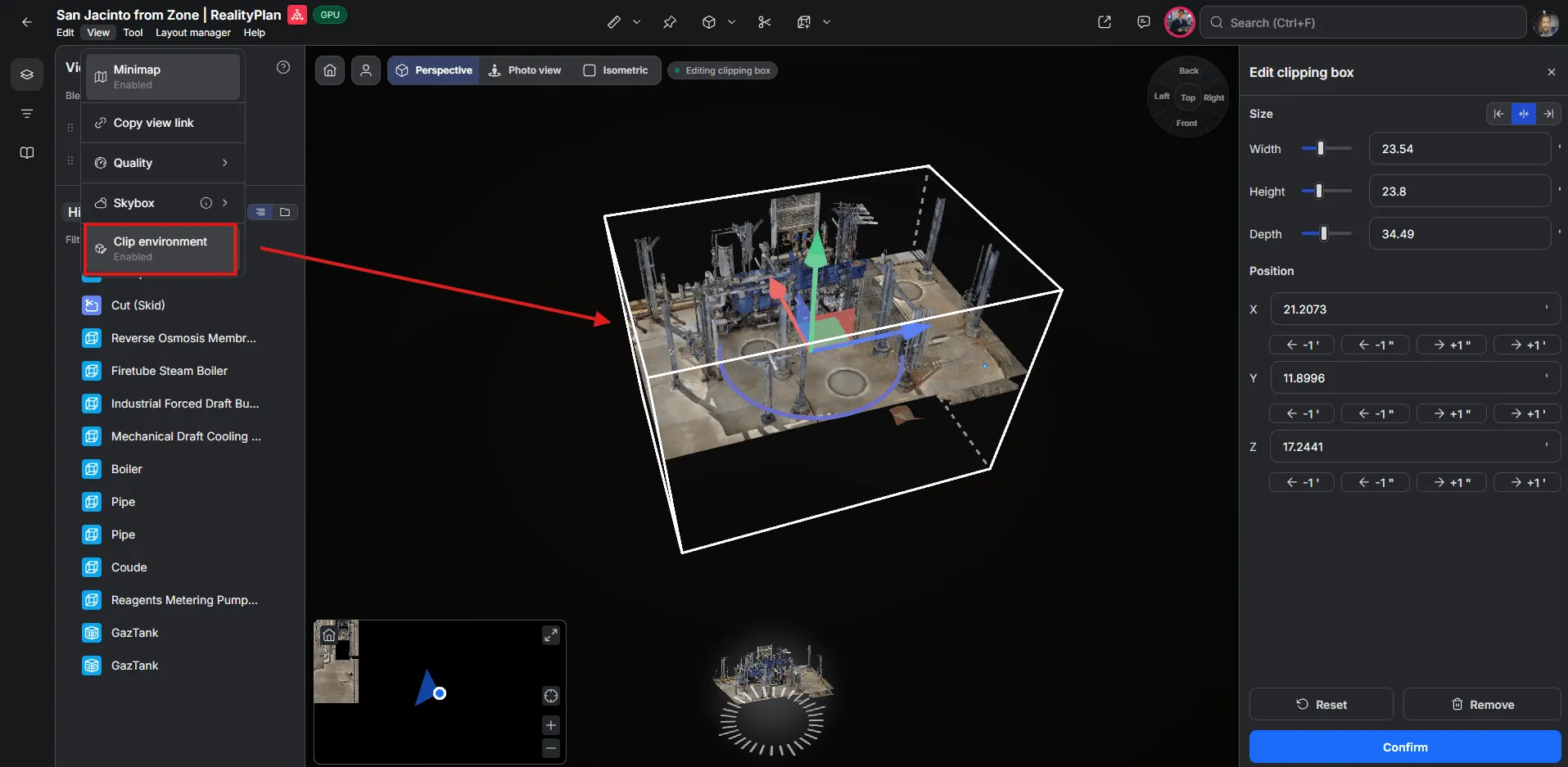
| Clipping | Height clipping — a single slider that cut the scene by ceiling height | Clipping box — a full box sized on width, height and depth, then moved and rotated freely |
| Public link sharing | A layout uploaded from the desktop app, then shared from the platform | Public links created straight from the viewer’s Layout manager, with an optional password and expiry date |
| Entity organization | A bare Entities list, tucked into a corner of the interface, with no search | The RealityTwin left panel: search, filtering, group by type, sort, and nestable folders |
The two that changed the most are worth a closer look.
Comments, Formerly Memos
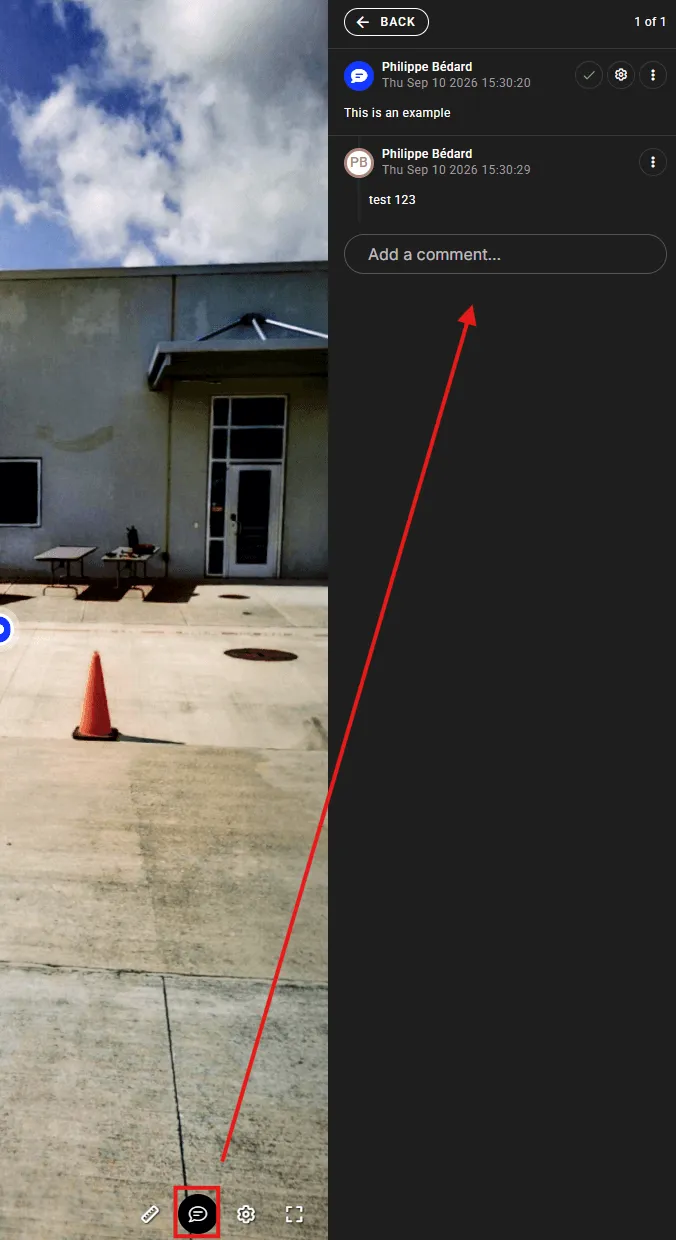
Section titled “Comments, Formerly Memos”A legacy memo was a single thread pinned in the scene, with its own panel and its own conventions. Comments cover the same ground and more: pin a comment in 3D or attach one to an entity, reply in a thread, format your text, mention a teammate, and mark the thread resolved when it is settled — identically in RealityTwin and RealityPlan Web.
Clipping, from a Height Slider to a Full Box
Section titled “Clipping, from a Height Slider to a Full Box”Legacy clipping was a single vertical slider: it cut the scene by height, and that was the only axis available. The new clipping box is a full box — size it on Width, Height and Depth, position it on X, Y and Z, and move or rotate it with the handle at its centre. Cutting by height is still there as one case of a much more flexible tool, so you can look into a structure from any direction instead of only from above. Open it from View → Clip environment.
Can I Go Back to the Legacy Viewer?
Section titled “Can I Go Back to the Legacy Viewer?”Yes. A feature flag can be enabled on your account that reverts new Data Bundle projects to the legacy viewer. If you’d like this enabled, contact your Customer Success Manager or our support team.
Important Limitations of the Legacy Viewer
Section titled “Important Limitations of the Legacy Viewer”Before requesting the flag, please be aware:
-
Performance & stability: The legacy viewer is less efficient than the new viewer and can struggle with layouts that contain a lot of cuts or 3D models. The new viewer is optimized for these cases.
-
RealityTwin always uses the new viewer: Even with the flag enabled, projects created from a RealityTwin will always open in the new viewer. The legacy viewer cannot be used within a RealityTwin environment.
-
Reduced compatibility with RealityTwin: Layouts built in the legacy viewer have limited compatibility when merged into a RealityTwin. These limitations are expected to grow as new capabilities such as web editing become available.
Frequently Asked Questions
Section titled “Frequently Asked Questions”Did I lose the ability to create a project from a Data Bundle?
No. The workflow to create a RealityPlan Project from a Data Bundle is unchanged — it simply opens in the new viewer now.
Will my existing projects change?
Not for now — this change applies to the viewer used when creating new projects from a Data Bundle. A migration of existing projects to the new viewer may come down the road; we will communicate ahead of time before any such change. If you have questions about existing projects, contact support.
Some tools look like they’ve moved.
The new viewer uses the new-generation interface, so some controls are located differently than in the legacy viewer. See What’s New and Improved in the New Viewer for where things are now. Everything from the legacy viewer is now in the new viewer — see Legacy Capabilities, Now in the New Viewer for where each one lives.
Need Help?
Section titled “Need Help?”Reach out to your Customer Success Manager or our support team. If you’d like to enable the legacy viewer flag or want a walkthrough of the new viewer, we’re happy to help.
Related: June 25, 2026 release notes